

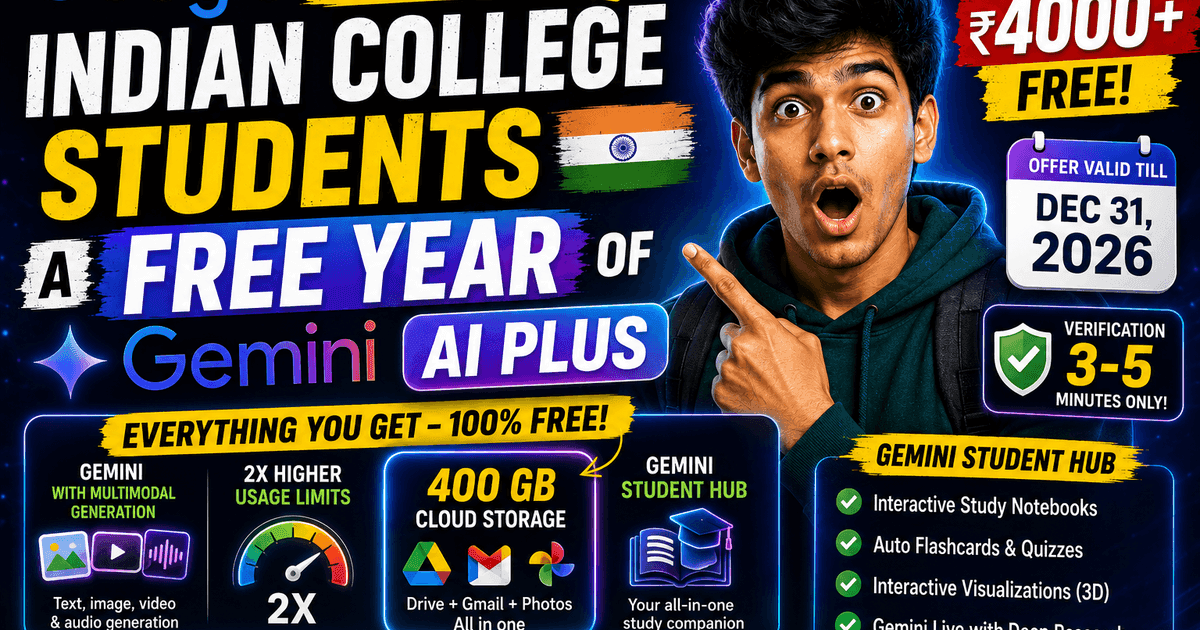
Indian college students can get 12 months of Google AI Plus at zero cost. The offer is live right now, runs until December 31, 2026, and the only thing standing between you and free access is a 3-to-5 minute identity check.
Here’s the full breakdown — what you get, how to claim it, and what trips people up during verification.
What the Free Plan Actually Includes
Normally, Google AI Plus costs ₹399/month — that’s over ₹4,700 a year. Eligible students get all 12 months free. Once you’re in, your account unlocks:
- Gemini with multimodal generation — capable of rendering text-to-image assets, video clips, and blended audio-video sequences
- 2× higher usage limits across Gemini versus the standard free tier
- 400 GB of unified cloud storage spanning Google Drive, Gmail, and Google Photos
- Gemini Student Hub access — Google’s purpose-built academic toolkit (more on this below)
Students who need more capacity can opt into a discounted Google AI Pro plan instead. That tier expands storage to 2 TB and bundles YouTube Premium Lite for ad-free video streaming — useful if you’re heavy on lecture content.
The Gemini Student Hub: What’s Actually Inside
Google built a dedicated portal at gemini.google.com/students that centralizes study workflows in one place. It’s not just a chat interface.
Interactive Study Notebooks — Upload your lecture slides, syllabus PDFs, or textbook chapters. Gemini converts them into a structured study guide and kicks off with a diagnostic quiz to surface gaps in your understanding before you waste time on topics you already know.
Automated Flashcards & Quizzes — Active-recall materials generated directly from your course readings. No manual card creation.
Interactive Visualizations — 3D simulations of things like planetary orbits, pendulum motion, or molecular biology models. Helpful when a static diagram in a textbook just isn’t clicking.
Gemini Live with Deep Research — Launch a multi-source research task and let it run in the background, even with your device locked. You get a notification when the report is ready. No babysitting the prompt.
How to Claim Your Free Year: Step by Step
Google uses SheerID — a third-party academic verification service — to confirm student status. The process is straightforward if your documents are in order.
Step 1: Go to the Offer Portal
Head to gemini.google.com/students or use the direct redemption link: goo.gle/studentdeal.
Step 2: Sign In With Your Personal Google Account
Use your personal Google account — not a college Workspace account. Your institutional email will come into play later during verification, but it doesn’t need to be your sign-in account.
Step 3: Select the Free Plan and Start Verification
Click “1 Year Free Google AI Plus”, then hit Get student offer. You’ll be redirected to the SheerID portal.
Step 4: Enter Your Student Details
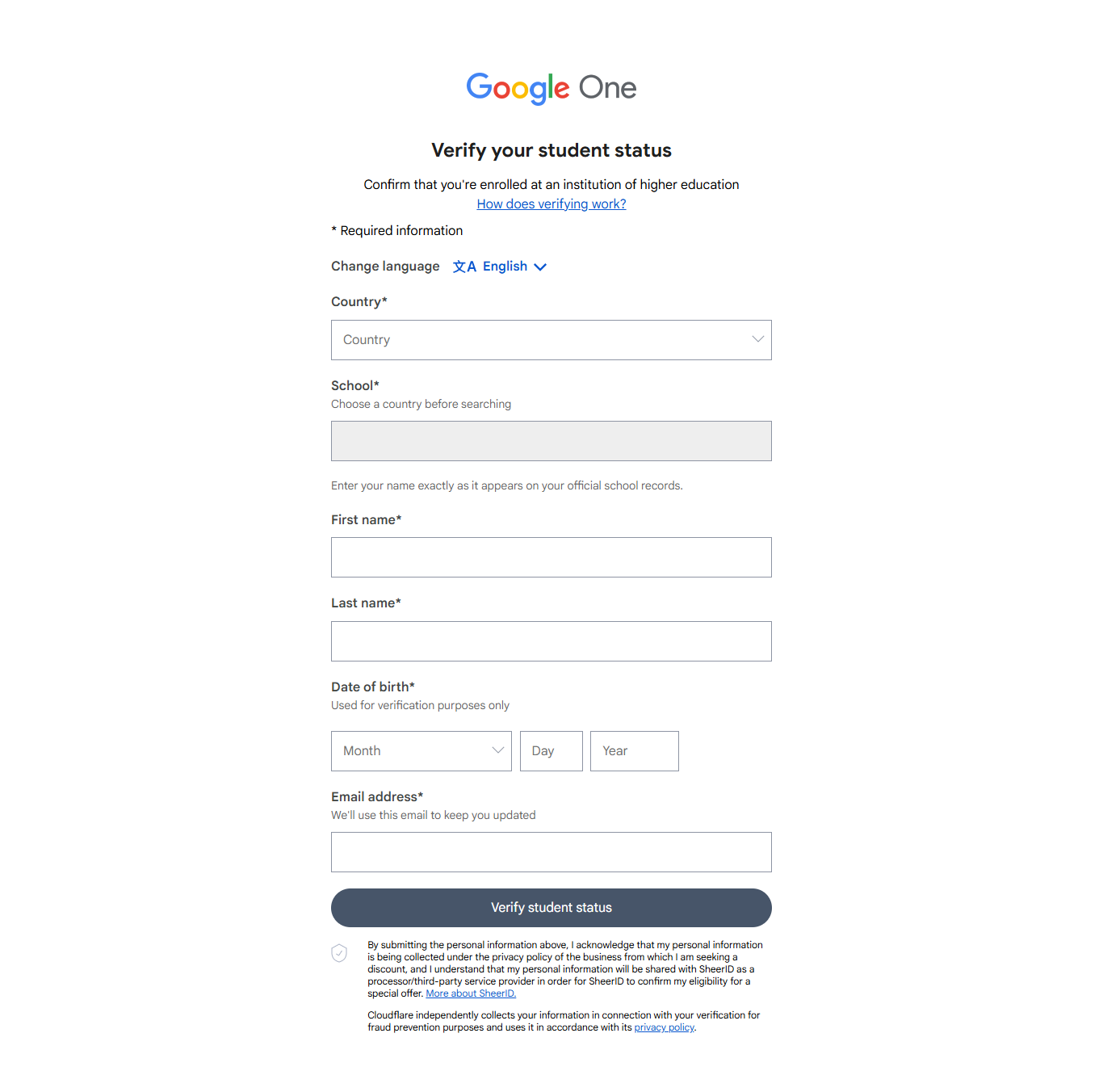
Fill in:
- Your accredited college or university name
- Your full name — exactly as it appears on your college records
- Your date of birth
- Your active college or university email (
.edu,.ac.in, or equivalent)
If your institution supports instant domain verification, approval happens immediately.
Step 5: Upload a Document (If Instant Verification Fails)
SheerID can’t always auto-match details. If it can’t, upload one of these:
- Student ID card with a visible issue or expiration date for the current academic year
- Current semester tuition fee receipt
- Enrollment certificate or letter from the registrar’s office
- Class schedule or hall ticket showing your full name and current academic session
Manual reviews typically finish within 20 minutes to 24 hours, with confirmation sent by email.
Step 6: Add a Payment Method and Activate
Once approved, add a payment method — credit/debit card, UPI, or net banking. You won’t be charged anything during the 12-month promotional period.
Why Verification Fails (And How to Avoid It)
Most rejections and delays come down to the same handful of avoidable mistakes.
Name mismatches are the top trigger. If your SheerID form says “Rahul K.” but your student ID says “Rahul Kumar,” the system flags it for manual review — or rejects it outright. Use your full name, letter for letter.
Documents without visible dates get rejected. A photo of your ID card that cuts off the academic year, or a certificate with no stamp, won’t pass review. Make sure the date, academic session, or validity period is clearly legible.
Phone photos of documents slow everything down. A high-resolution JPG, PNG, or PDF directly from your university portal processes faster than a low-contrast camera shot under bad lighting.
Don’t use verification bypass services. There are sellers and tools online claiming to generate fake documents or skip SheerID entirely. Submitting fabricated academic credentials is fraud. Google’s response is a permanent account ban — not a warning.
Auto-Renewal and Cancellation: Read This Before You Forget
After your 12 free months end, the subscription auto-renews at the prevailing monthly rate unless you cancel before the expiration date.
You can turn off auto-renewal anytime inside your Google One account settings — you’ll keep access for the rest of your free year either way. Set a calendar reminder for a week before your renewal date. That’s the only thing you might regret not doing.
One more thing on academic integrity: Google positions Gemini as a research and comprehension tool, not a replacement for original work. AI-generated citations and code should always be reviewed before submission. Check your institution’s academic integrity policy — it almost certainly addresses AI tools by now.
The offer is live. The deadline is December 31, 2026. Verification takes five minutes if your documents are ready.

Join the discussion
Sign in with your Google account to post a comment and share your thoughts.